Selected work(01) CASE STUDY 05 · DIL KA KONAPRODUCT DESIGN — 2026

Some conversations deservea place to stay.(CS—05)

A private, local-first home for exported WhatsApp and Telegram conversations.

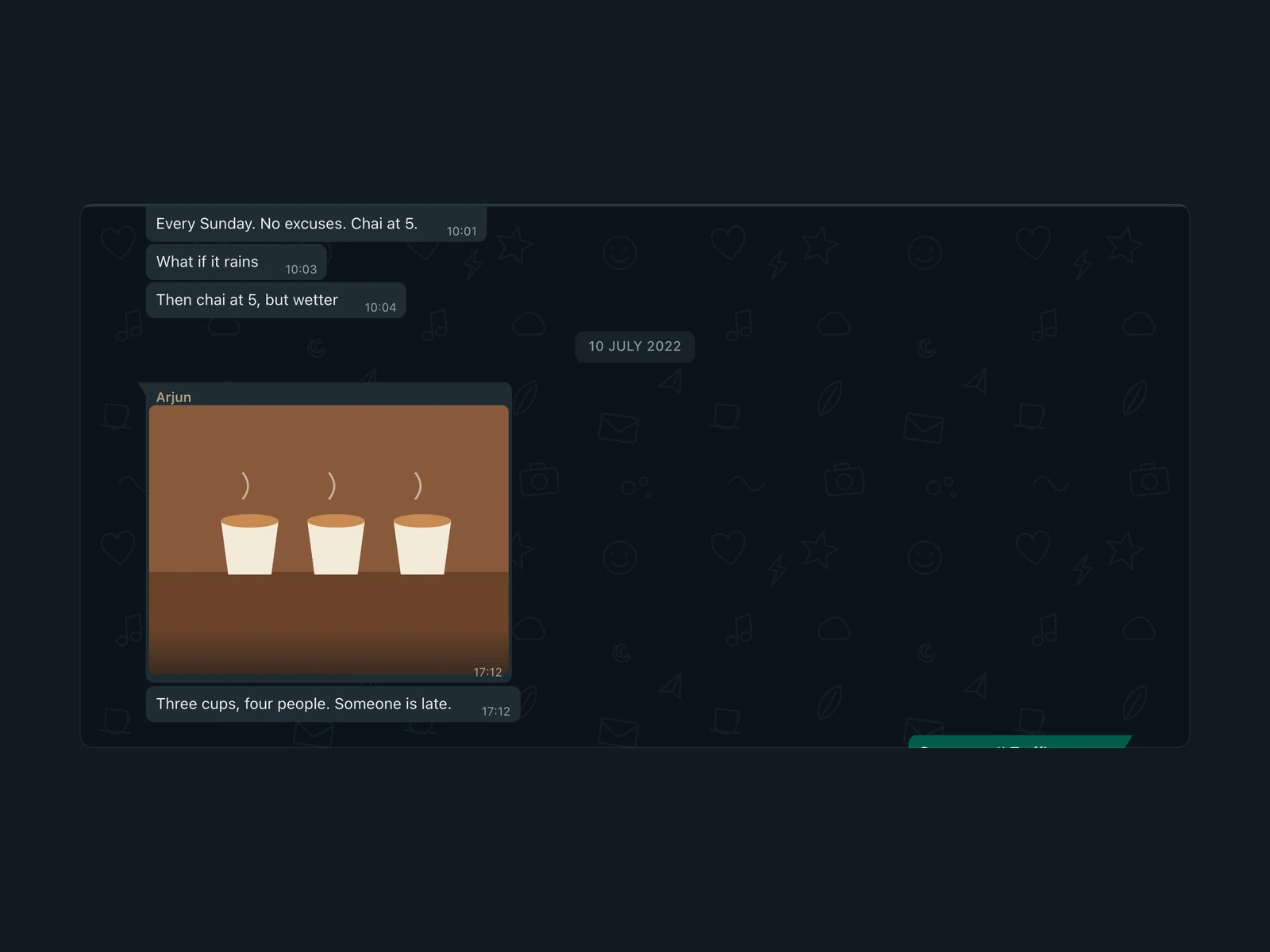
Dil Ka Kona — “a corner of the heart” — turns exported WhatsApp and Telegram chats back into conversations you can read again, on your own device. I defined the product, its principles, the interaction and visual design and the privacy model, and built it with AI coding tools. The challenge was to rebuild something intimate without inventing anything — and without the archive leaving the person’s hands.

Year
2026
Role
Product design
Team
Solo + AI
Platform
Web app
Read time
4–5 min
FILM 01 · 1:00Some conversations deserve a place to stay — the product in one minute. Built from the app’s own components with invented chats; silent, with the voice-over kept separately.
(02) CONTEXT

The data survives. The conversation doesn’t.

02 / 10

A chat export technically preserves a conversation. In practice it turns it into an archive nobody wants to open.

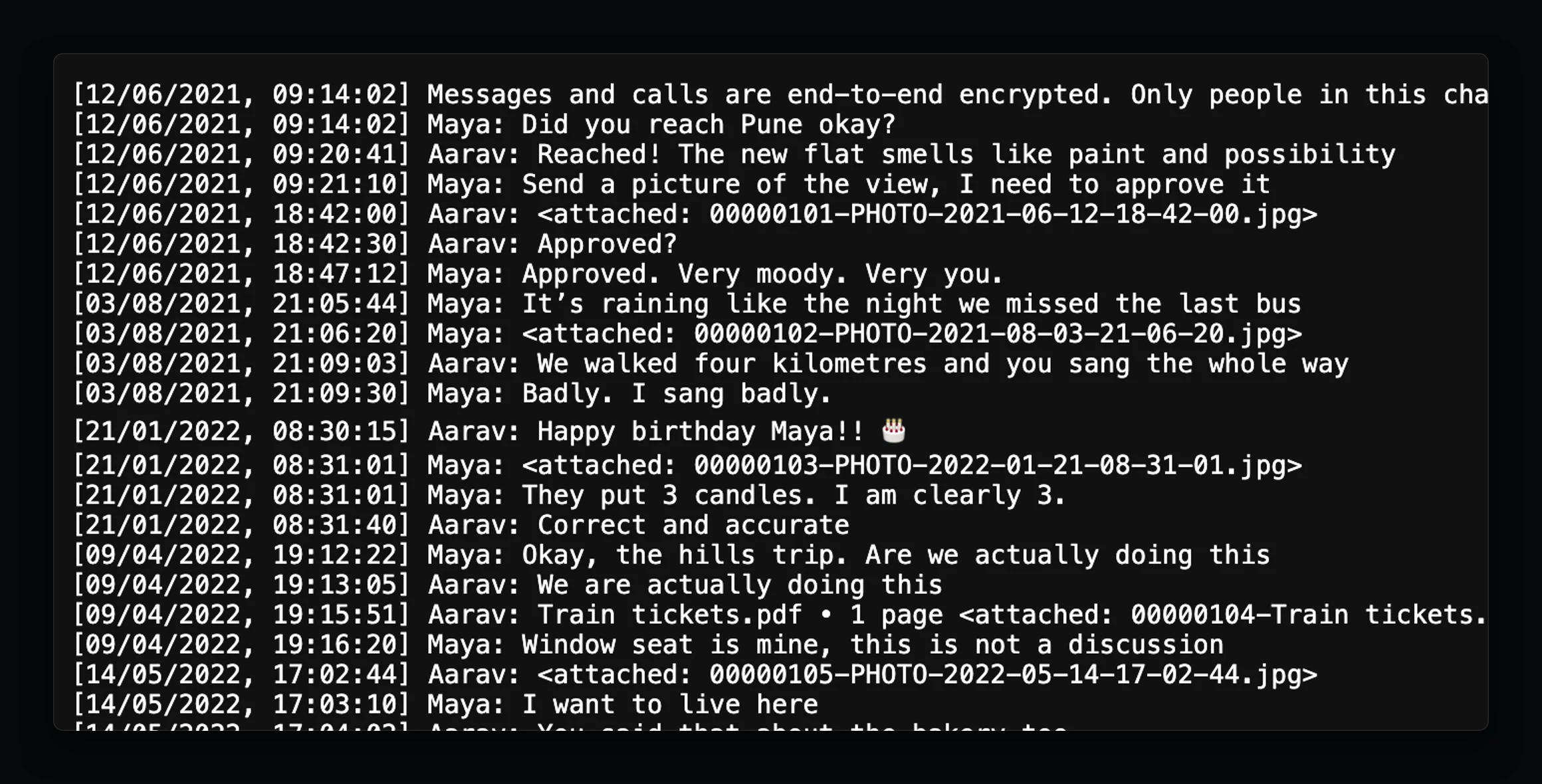
WhatsApp exports a transcript — one line per message — and every photo and voice note as a separate, numbered file; Telegram exports a folder of HTML pages. The words survive. The flow, the pictures in their place, the feeling of scrolling back to one evening don’t — often for the conversations people can’t replace.

For
Anyone keeping exported WhatsApp or Telegram chats — individual or group.
Not
A messenger. Nothing can be sent, edited or forwarded, and nothing connects to WhatsApp or Telegram.
A WhatsApp _chat.txt transcript: bracketed timestamps, names, and attachments listed as filenames.
FIG. 02.1A WhatsApp export as it arrives: _chat.txt, with photos and a PDF referenced only as “<attached: …>”. This one is fictional.
(02) THE REFRAME

How can someone revisit a conversation after exporting it — with its context, media and replies intact — without the archive ever leaving their hands?

The product question from my briefs — not a research finding.

(03) APPROACH

Local, read-only, nothing invented

03 / 10

Three principles from my first brief held for the whole project. Each gave something up on purpose.

  1. Local-first

    Messages and media stay in this browser. No server holds archives; the account only identifies you.

    CHOSEN OVER Sync across devices
  2. Read-only

    No composer, reactions or calls: the familiarity of a chat app, minus everything implying the conversation is still live.

    CHOSEN OVER Feeling like a full messaging app
  3. Nothing invented

    No ticks, no “online”, no sentiment scores. Statistics are counts, dates and distributions only.

    CHOSEN OVER A richer-looking chat
(04) READING

A conversation, not a file

04 / 10
DECISION 01

Reconstruct the conversation, don’t display the file
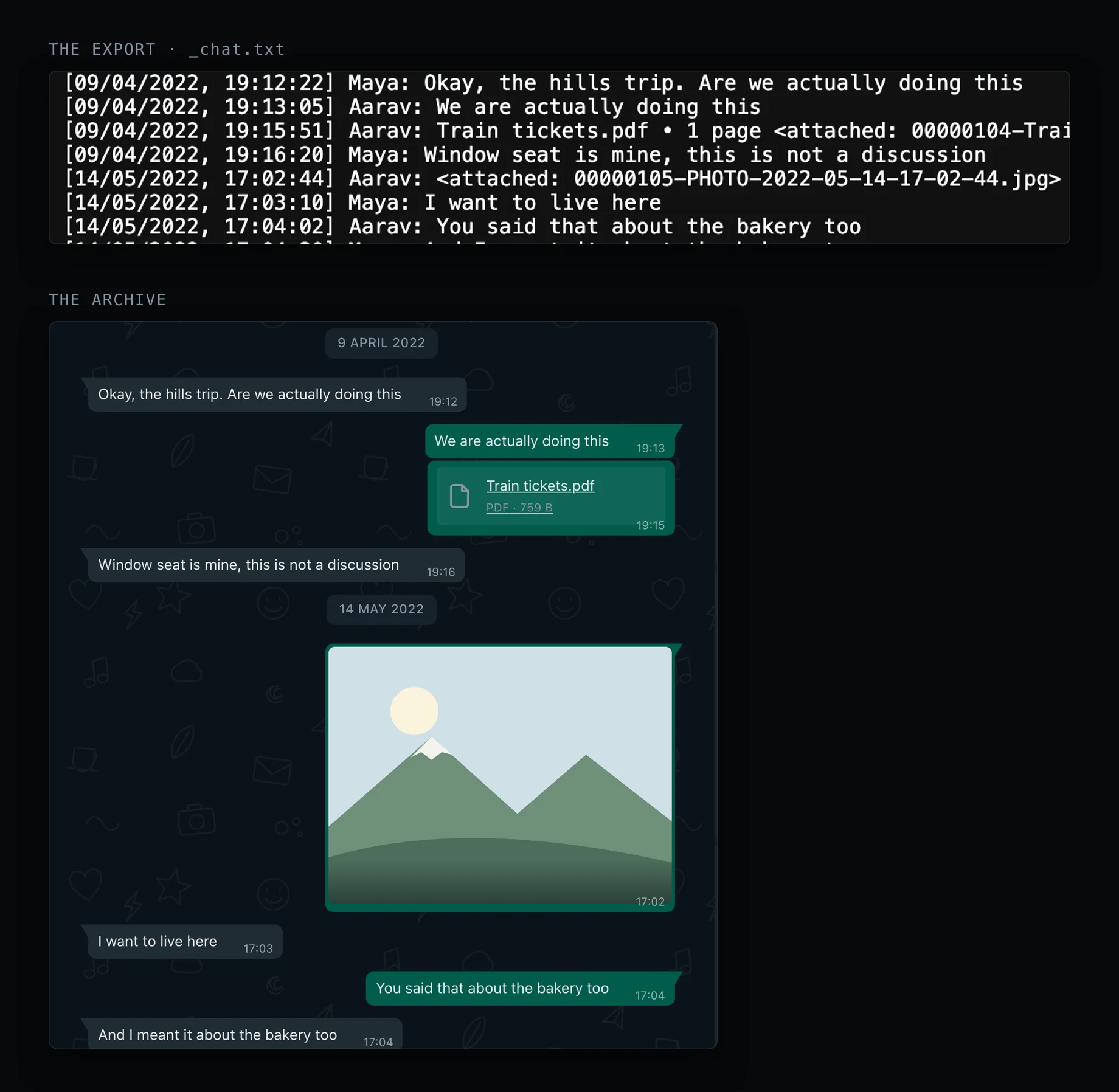
Eight lines of a WhatsApp transcript above the same messages shown as chat bubbles with a document and a photo.
FIG. 04.1The same eight messages, as the transcript holds them and as the archive shows them.
Problem

A transcript is complete and unreadable: attachments are filenames, days run together, and nothing says who is “you”.

Reasoning

The archive’s value is recognition — scrolling back and finding the evening you remember. So it borrows the conversation pattern people already read without effort, rather than inventing a document view.

Design response

Messages return as bubbles on the right side, grouped under days, with photos, documents and voice notes back in place. Messages sent in the same minute keep their order, and media the export mentions but doesn’t include is marked “Media unavailable” — never silently dropped.

Evidence

Seen in the app. Why a familiar layout works is my reasoning, not a tested finding.
DECISION 02

One reading experience for two sources

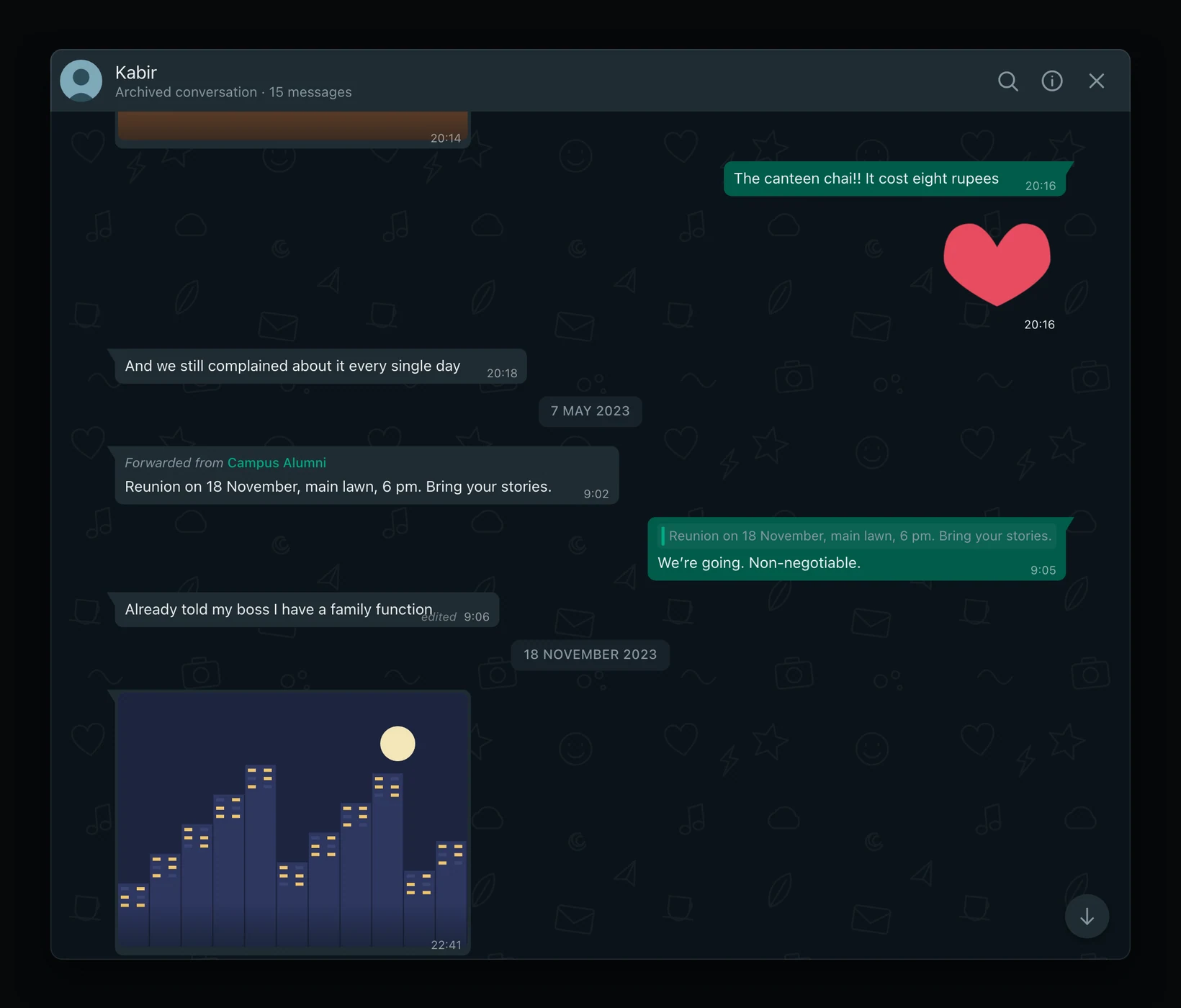
A Telegram archive conversation with Kabir, with a sticker, a forwarded message and a reply.
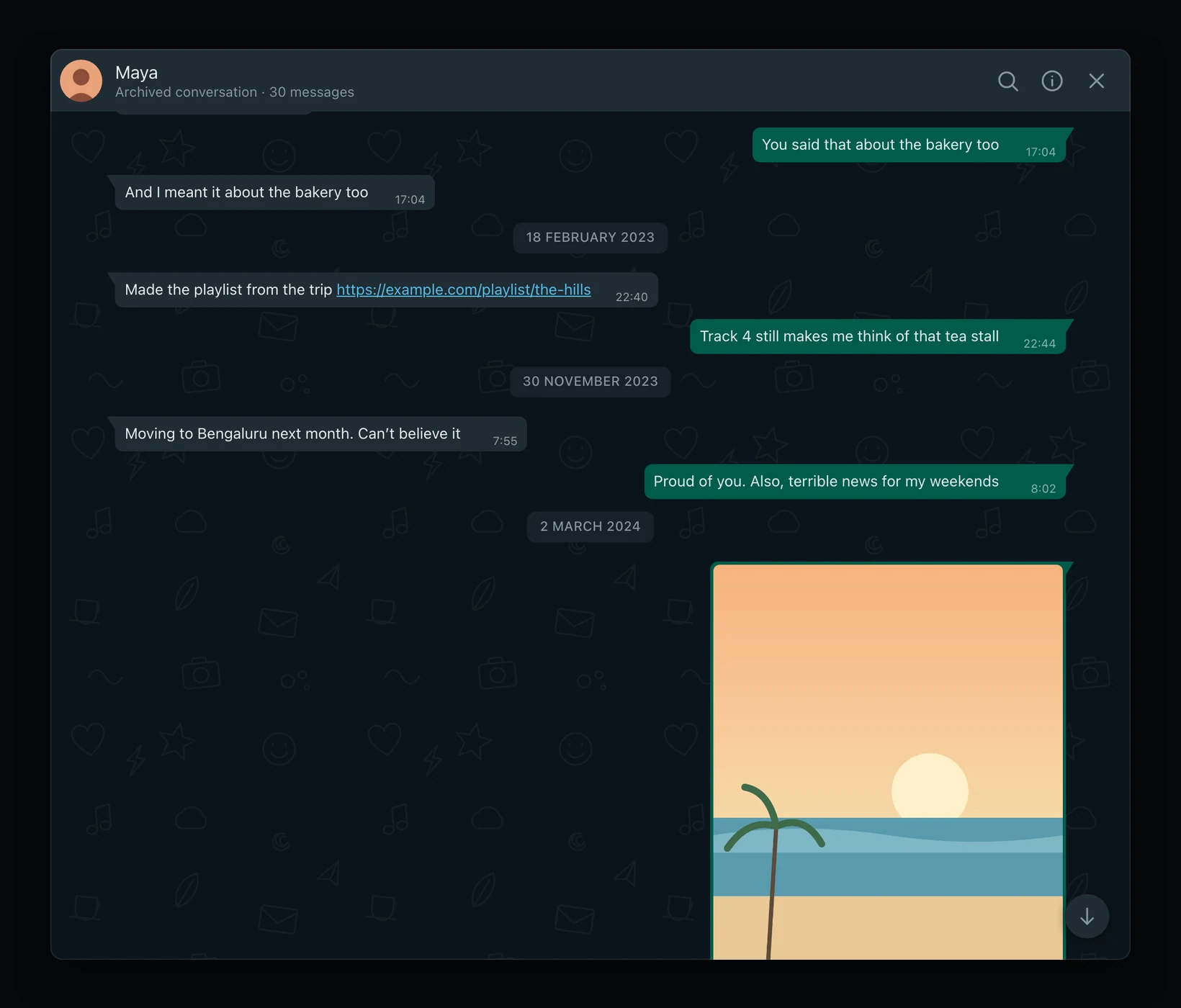
A WhatsApp archive conversation with Maya.
WhatsAppTelegram
FIG. 04.2The same conversation view for a WhatsApp export and a Telegram export — drag to compare.
Problem

Telegram arrived in the first week. A second app would have doubled every feature; flattening it into WhatsApp’s shape would have thrown away its replies, forwards and edits.

Reasoning

One common model, with source-specific details as optional extras — my brief ruled out duplicated chat architectures. When Telegram’s real export turned out to be HTML, not the JSON first assumed, I had the importer follow the export people actually have.

Design response

Search, galleries, protection and deletion work identically for both. Each chat carries its source label, and where Telegram knows more, the conversation shows it.

Evidence

Seen in the app; the HTML change is in the commit history and my briefs.

FIG. 04.3Recorded live: a fictional Telegram archive — photos, stickers and a forwarded message — in the same reading view as WhatsApp.
(05) IMPORT

Ask for what the export can’t tell

05 / 10
DECISION 03

Make every gap a visible step

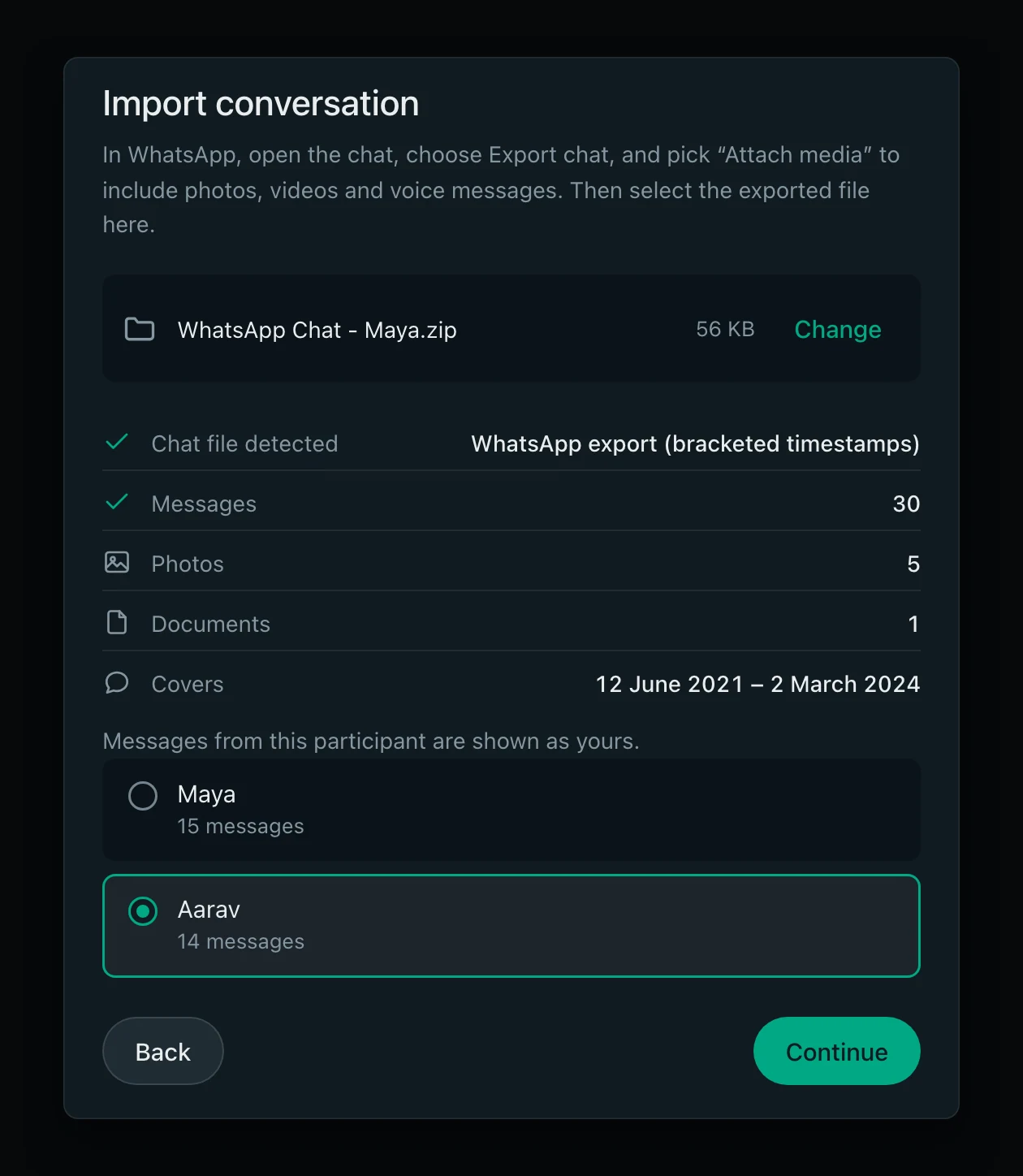
Import step: WhatsApp export detected, 30 messages, 5 photos, 1 document, covering June 2021 to March 2024, and a choice of which participant is you.
FIG. 05.1The import step after reading a fictional WhatsApp export.
Problem

A WhatsApp export doesn’t say whose archive it is, or the contact’s name or photo. Guess “you” wrong and every bubble lands on the wrong side.

Reasoning

I turned each gap into an explicit step instead of a silent assumption, and had the import show what it found before saving anything, so a misread file is caught early.

Design response

Import is five visible steps: source, identity, file, protection, review. It reports the format, counts and date range, asks “Which of these is you?”, and recognises a conversation already in the archive — offering a separate copy, never overwriting the original.

Evidence

Seen in the app.

FIG. 05.2Recorded live, about 2× speed: a fictional export through every step — then the conversation it became.
(06) SEARCH & MEDIA

Finding one evening again

06 / 10

In an archive, the hard part is getting back to the moment you came for.

Search stays inside the conversation, with a result count and previous/next. A date picker limited to the conversation’s range offers the nearest day when the one you pick is empty.

Chat details gathers the media, links and documents, and the viewer’s “View in chat” returns to the message where a photo was sent. One shared decision about each file’s type drives the bubble, the gallery and the viewer, so they can’t disagree — a rule that followed an animated sticker playing in the chat but showing as broken in the gallery.

FIG. 06.1Recorded live: searching Maya’s conversation for “trip”, stepping to the next match, then jumping to a date.
FIG. 06.2Recorded live: Chat details, the gallery, the viewer — and View in chat, back to the photo where it was sent.
(07) PRIVACY

Privacy that says exactly what it is

07 / 10
DECISION 04

Real controls, with their limits stated

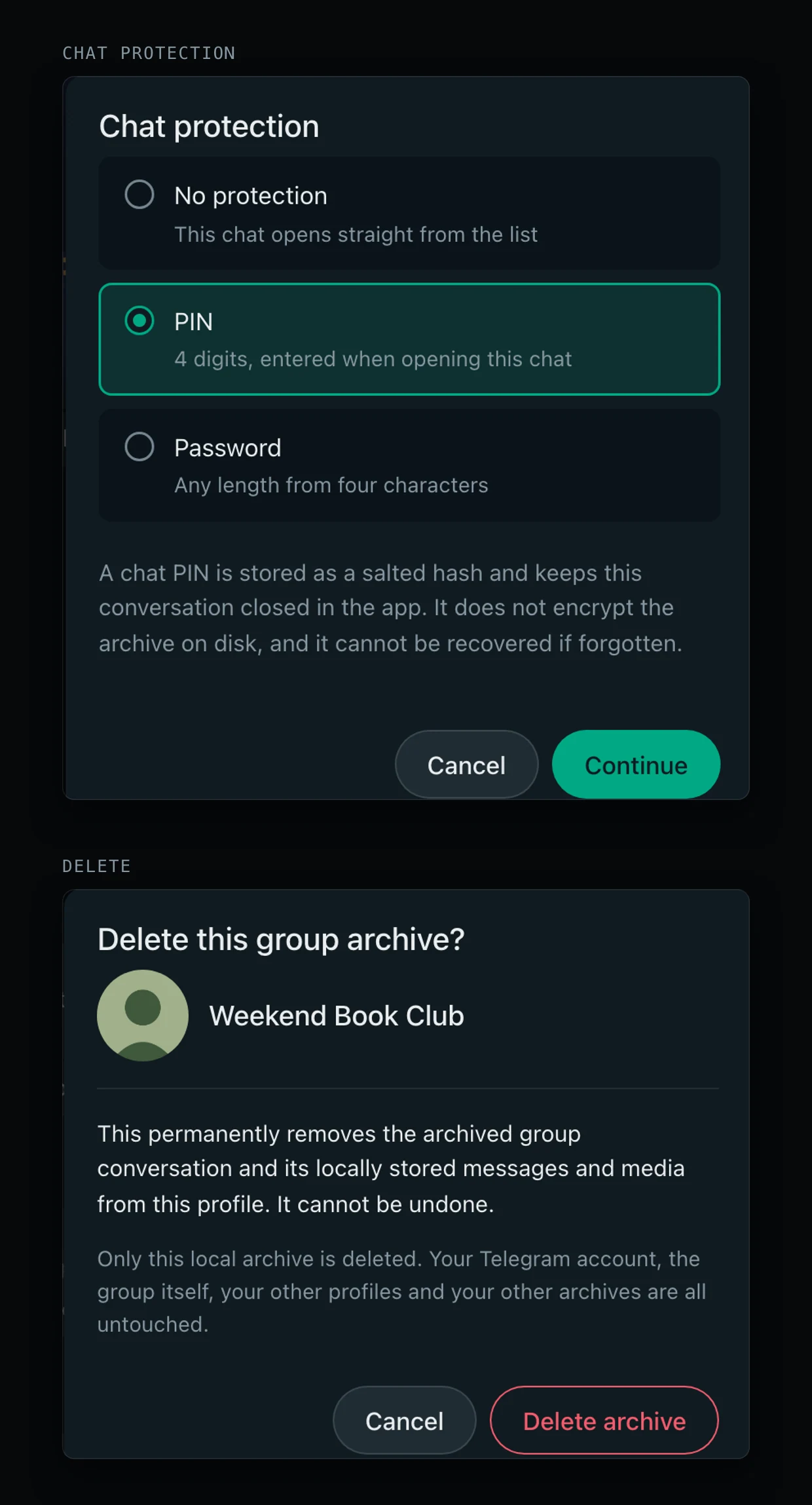
Chat protection dialog noting a PIN does not encrypt the archive on disk, and a delete dialog explaining only the local archive is deleted.
FIG. 07.1Chat protection and deletion, each saying what it does — and what it doesn’t.
Problem

A lock icon invites people to believe more than it delivers. Archives live unencrypted in browser storage; a PIN keeps people out of the app, not out of the files.

Reasoning

Over-promising security on something this personal would be worse than offering less. So every control states its limit in the same breath.

Design response

Optional profile PINs and per-chat protection, with the dialog saying a PIN “does not encrypt the archive on disk”. Profiles lock after inactivity — not whenever the tab is hidden, which felt like being thrown out. Deleting a chat names it and says only the local copy goes.

Evidence

Copy and behaviour seen in the app. A security review on 7 October found a chat could be opened from another profile by its address; every read and write now passes one ownership check.

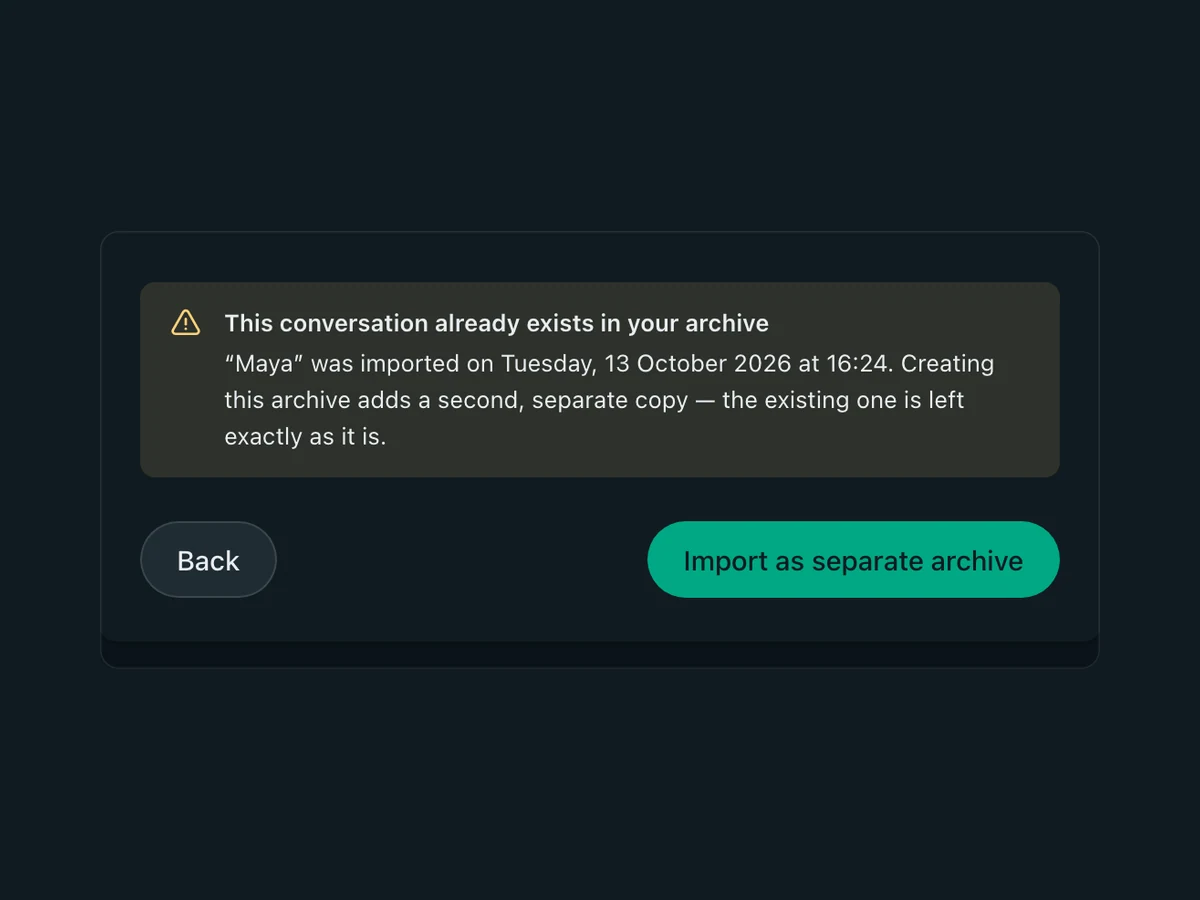
Warning: this conversation already exists in your archive; import as separate archive.
01 — Already in the archive
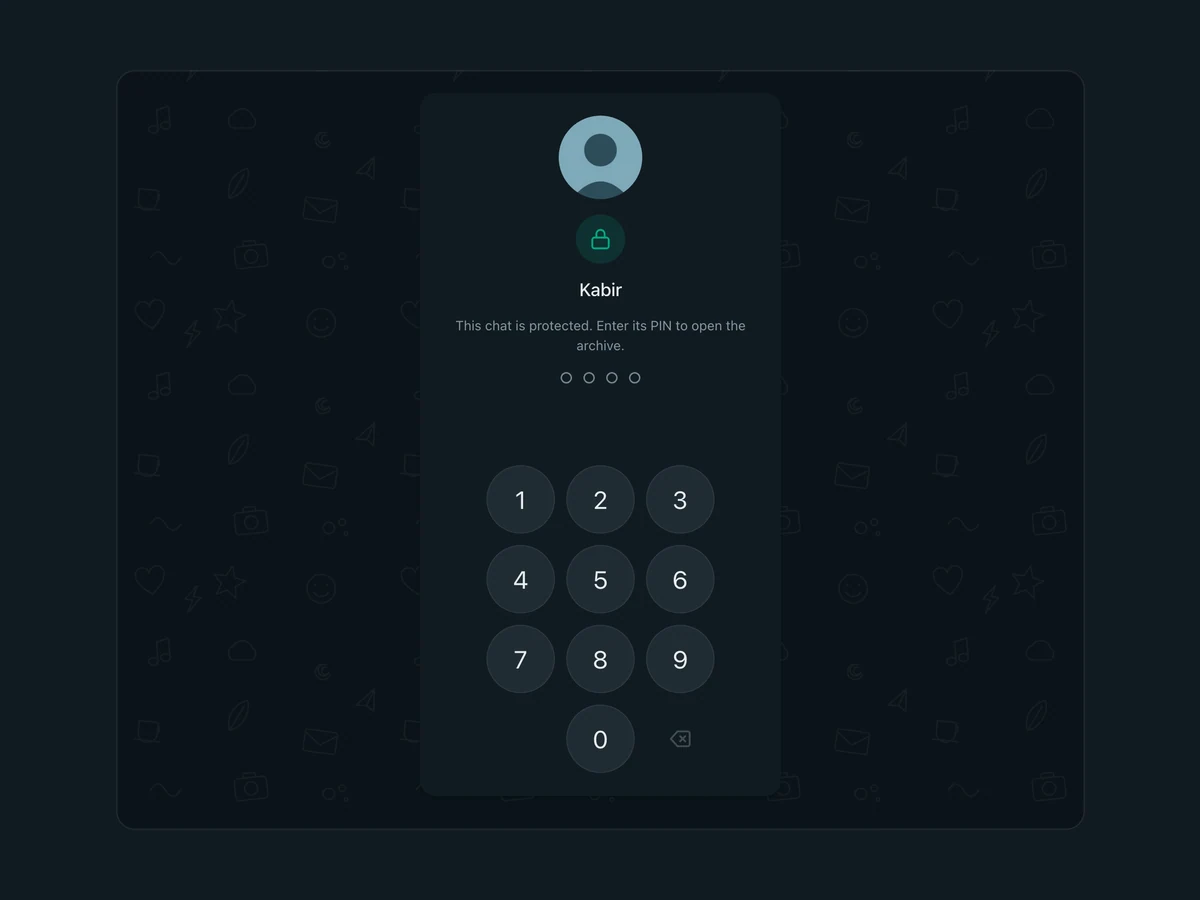
A protected chat asking for its PIN.
02 — Protected chat
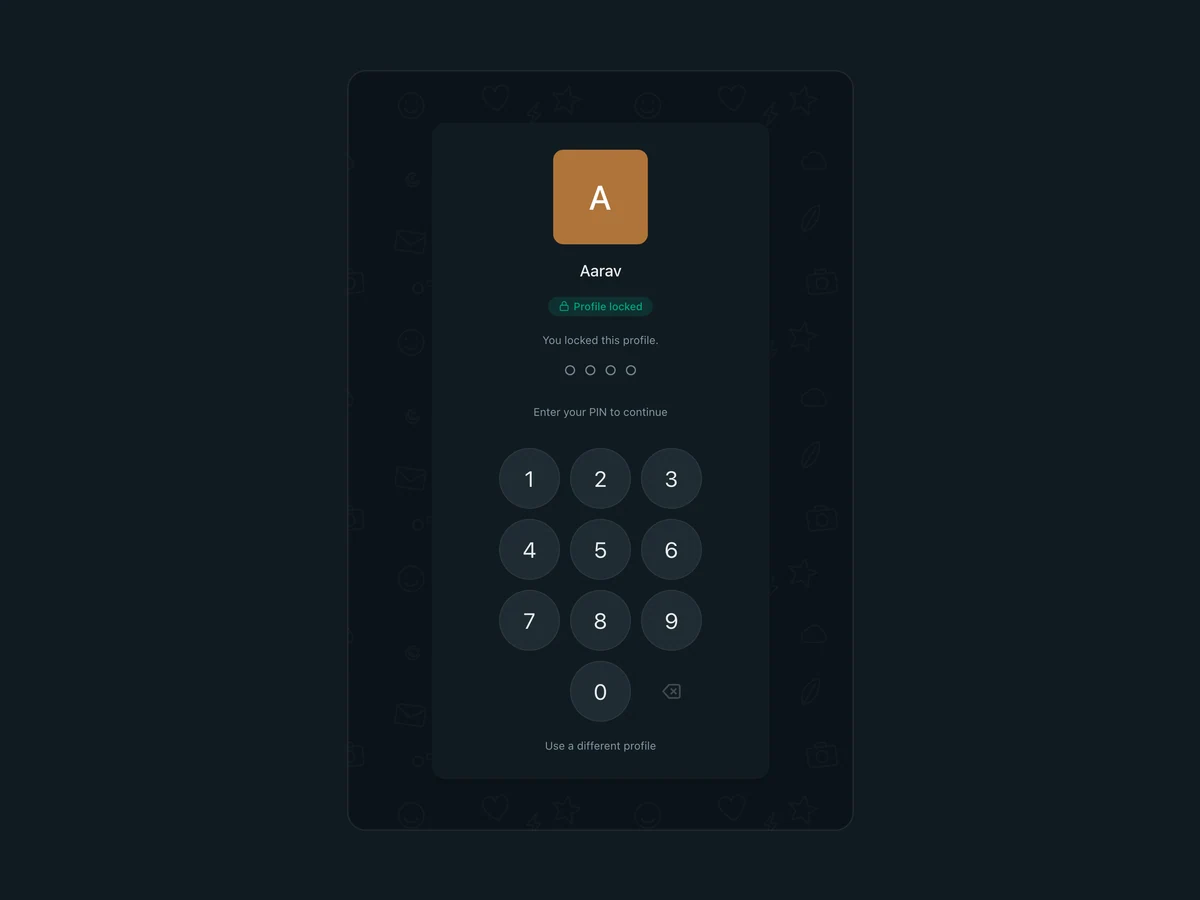
A locked profile asking for its PIN.
03 — Locked profile
FIG. 07.2Protective states: a conversation already in the archive, a protected chat, a locked profile.
(08) VISUAL

Familiar, but its own

08 / 10

Dark, quiet and recognisable as a chat — with a wordmark that makes it clearly something else.

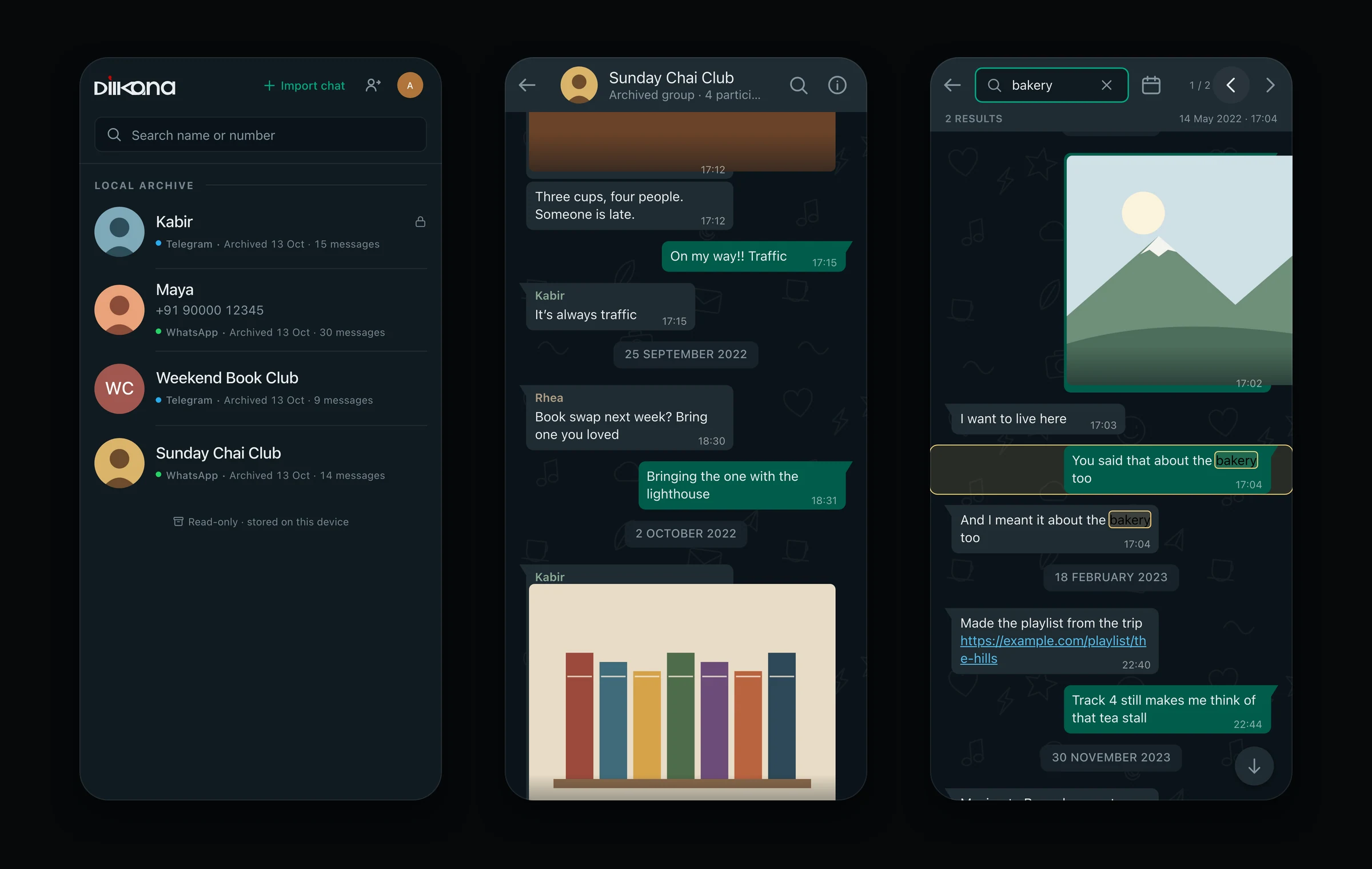
Bubbles, day separators and the list-beside-chat layout follow conventions people already know; on a phone the list and the chat become separate screens with a back arrow. Small reminders — “Archived conversation — read only”, “Stored on this device only” — keep the product’s promise visible.

Three phone screens: archive list, a group chat, in-chat search.
FIG. 08.1On a phone: the archive list, a group conversation and in-chat search.
The Dil Ka Kona wordmark.
Wordmark
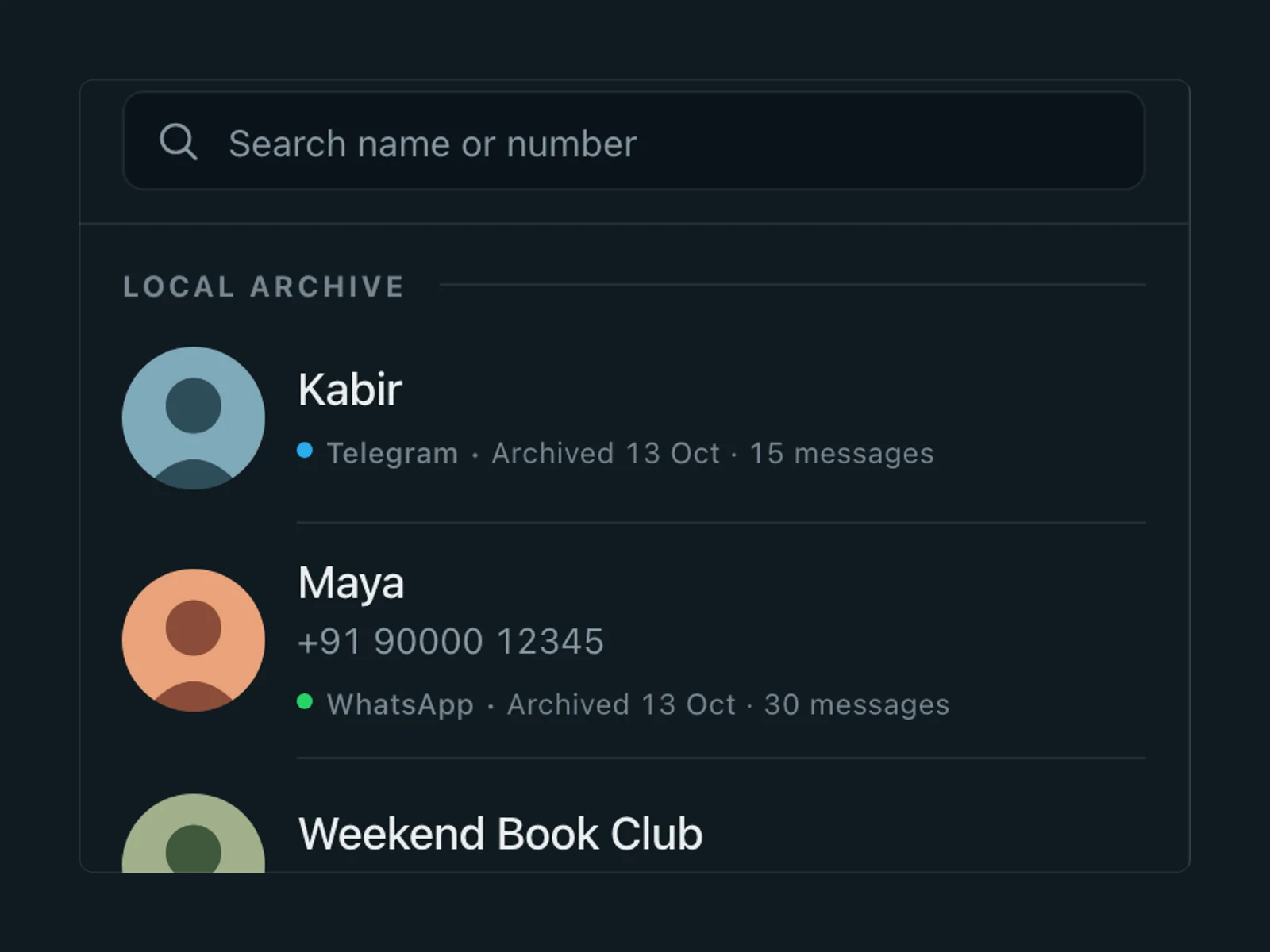
Archive list with source tags.
Archive list
Group conversation with sender names and a photo.
Group conversation
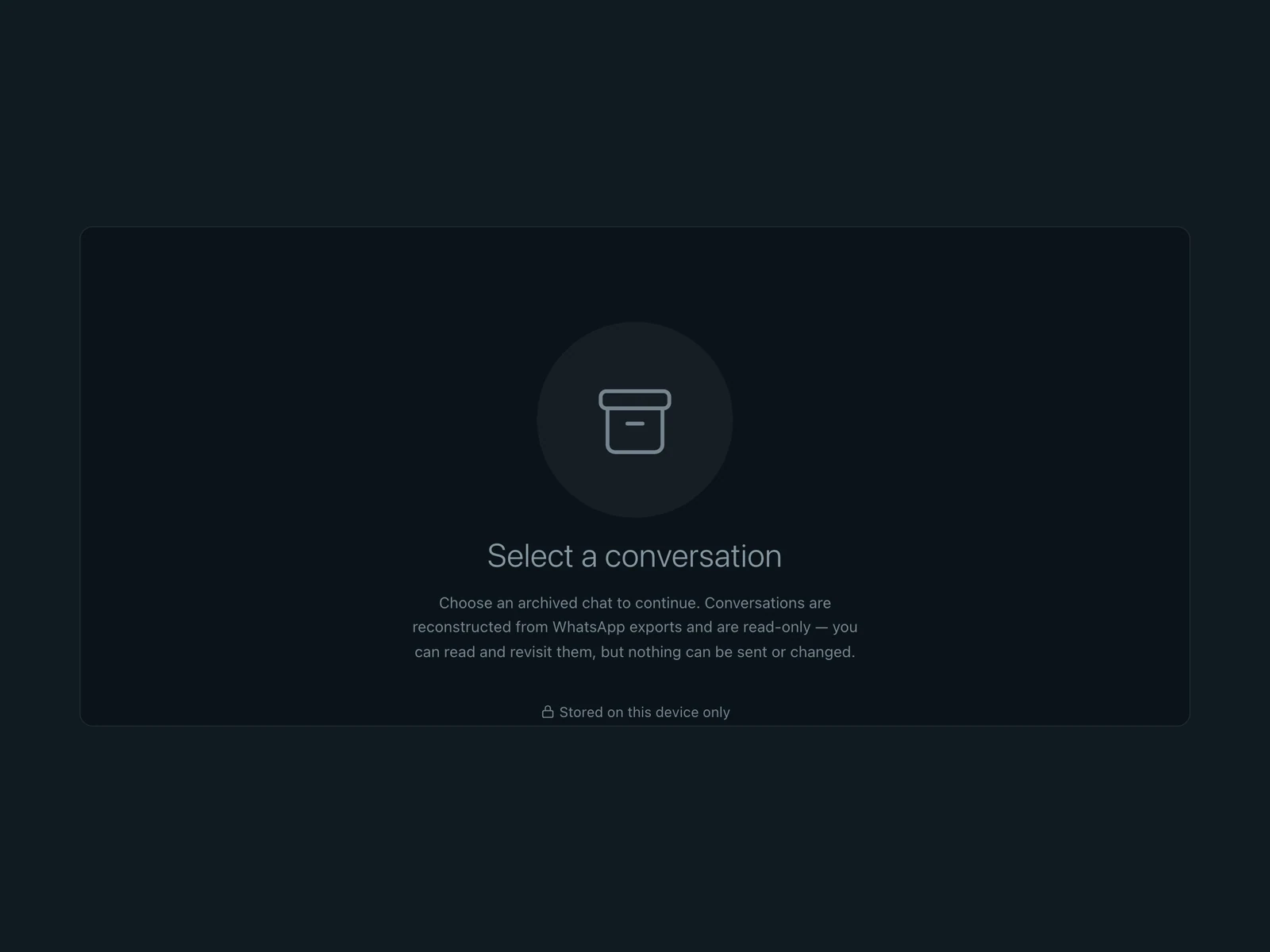
Empty state: select a conversation; read-only; stored on this device only.
Read-only, on this device
FIG. 08.2The wordmark; the archive list with source tags; a group conversation; the read-only empty state.
(09) OUTCOME

What it is now, and what it isn’t yet

09 / 10

    What the design made possible

    WhatsApp and Telegram archives, individual and group, readable as conversations again in one place — with search, media and protection behaving the same for both, and messages and media kept in the browser.

    What remains unproven

    There’s no user research or usage data. Archives don’t follow you between devices, and clearing the browser’s data removes them — the app says so. Performance on very large exports hasn’t been measured, and some copy still lags the code.

    What I’d do next

    Fix the lagging copy, measure large archives, and offer an export the person can keep, so the archive isn’t trapped in one browser either.

    How it was built
    AI coding tools wrote the code from my briefs. I defined the product, its principles, the interface and the privacy model, tested it against real and fictional exports, and directed each change.
    Reads
    WhatsApp .zip or .txt exports; Telegram Desktop exports as HTML or JSON.
    (10) CONTINUE

    Keep exploring

    10 / 10
    NEXT CASE STUDY — 02 · MOBILE APPWanderlust